Fudov Man + iiko: How to Connect
To connect the Fudov Man / Fudov Courier app to the iiko system, follow the steps below.
Step 1. Create an additional API login in iikoWeb
-
Sign in to iikoWeb.
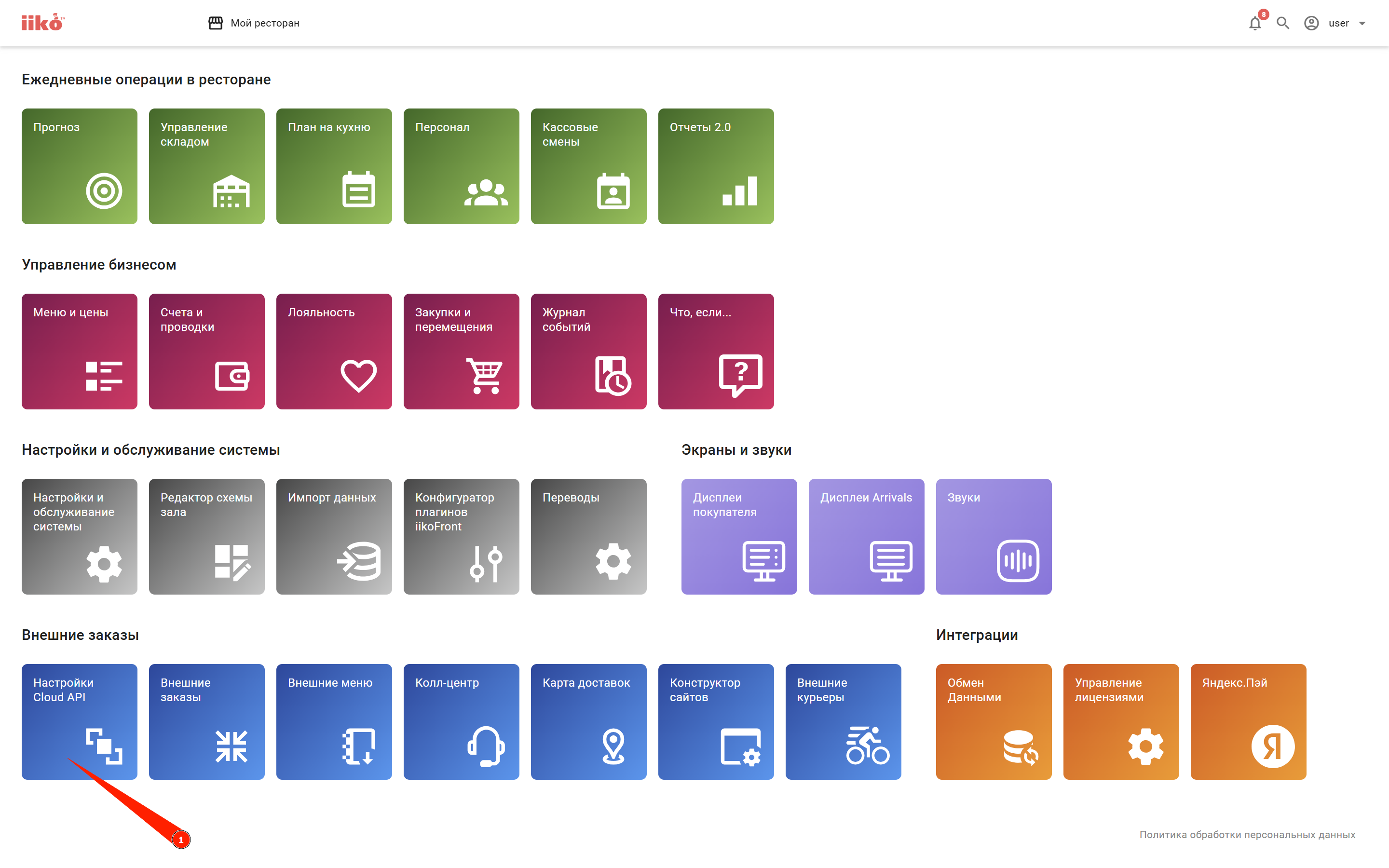
-
Create a new API login (API key) for the courier app using the official iiko guide.
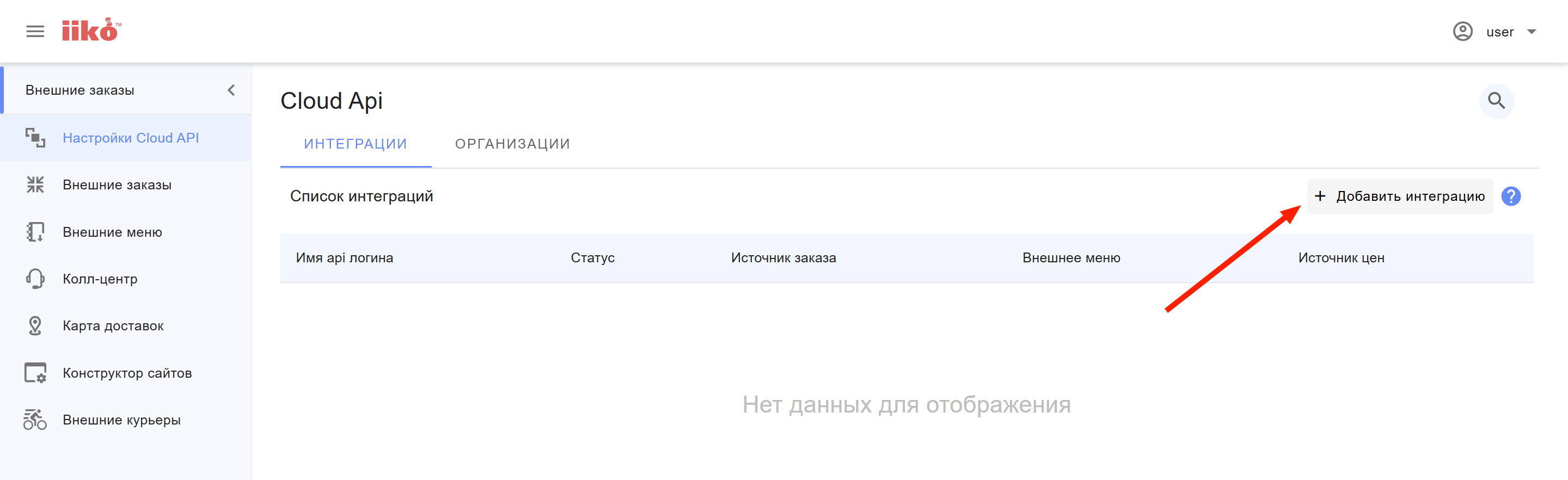
-
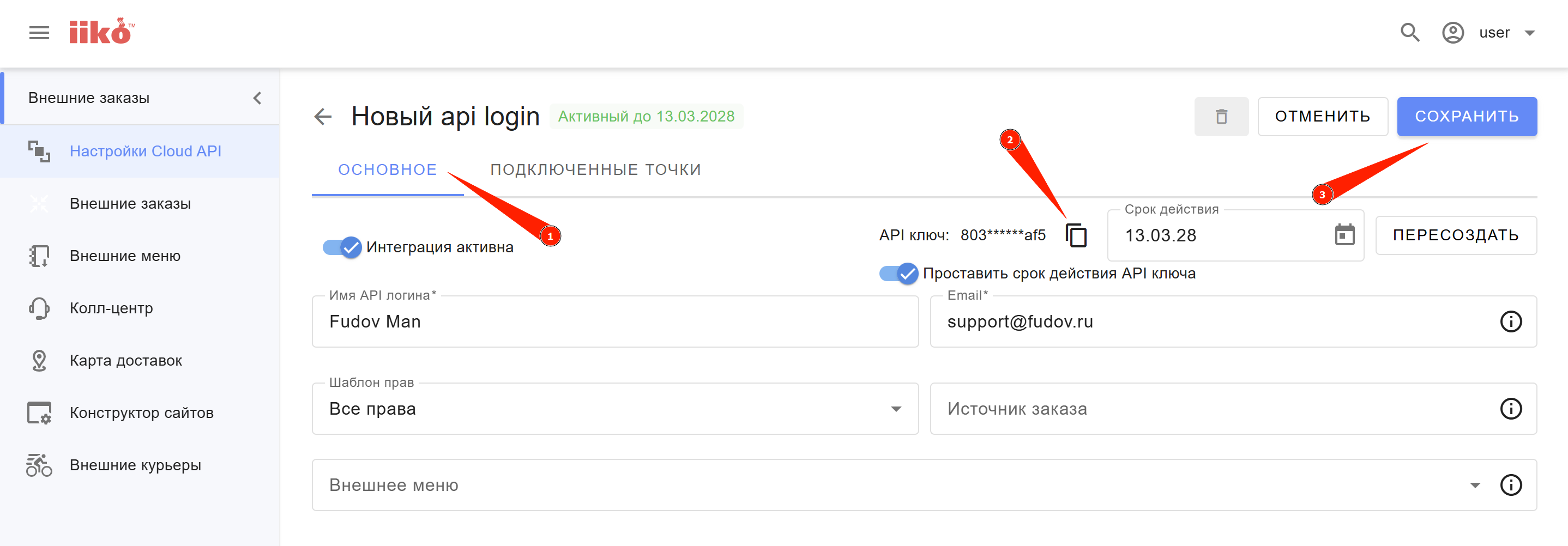
Name the login:
Fudov Man. - In the Email field, enter:
support@fudov.ru— this email will receive notifications when the key needs to be renewed. - Leave the Order source field empty.
-
Set the maximum key validity period to 2 years (this is the default value).
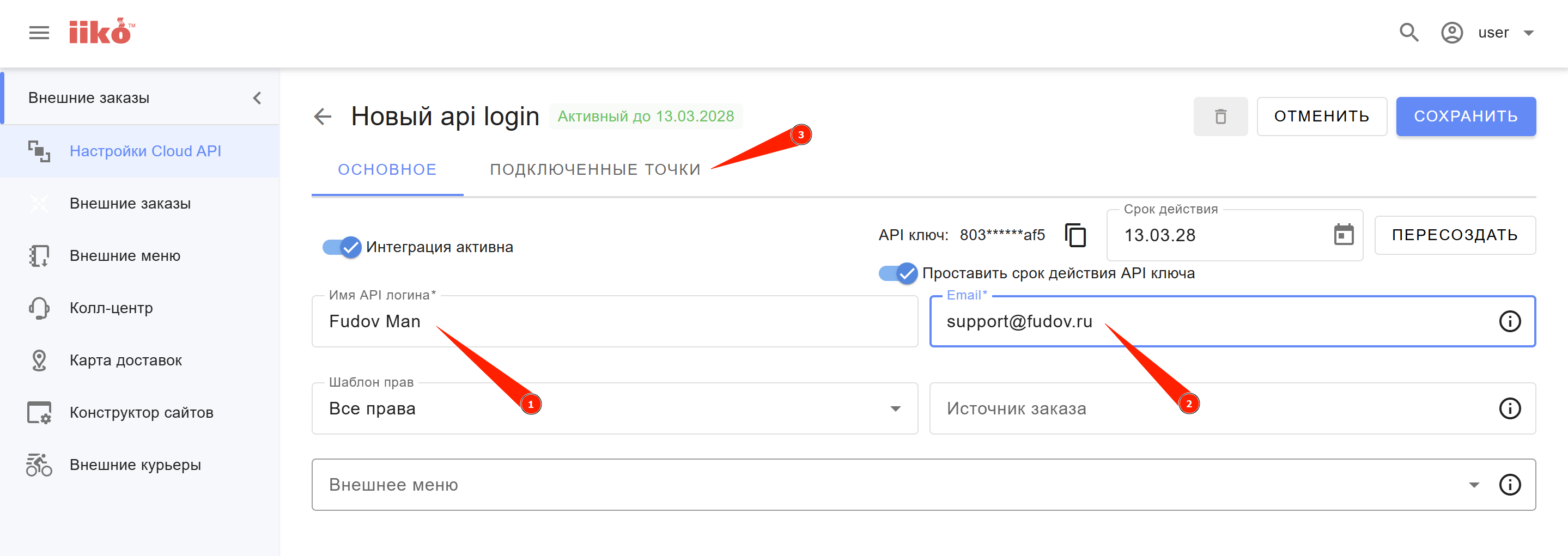
-
Connect all required locations (departments) that will work with the courier app.
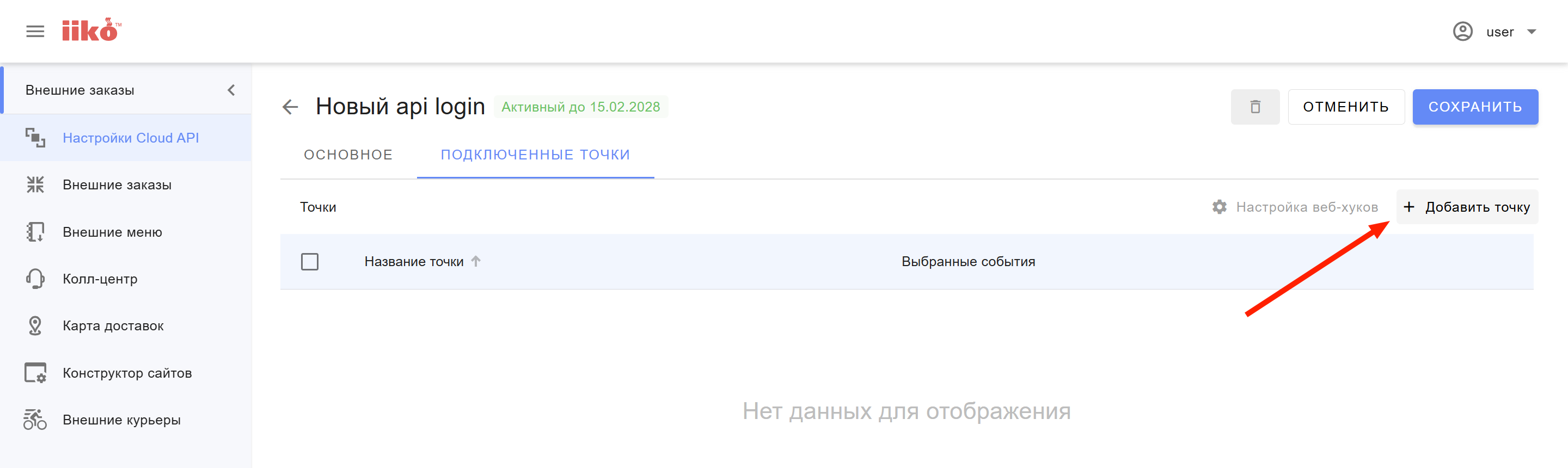
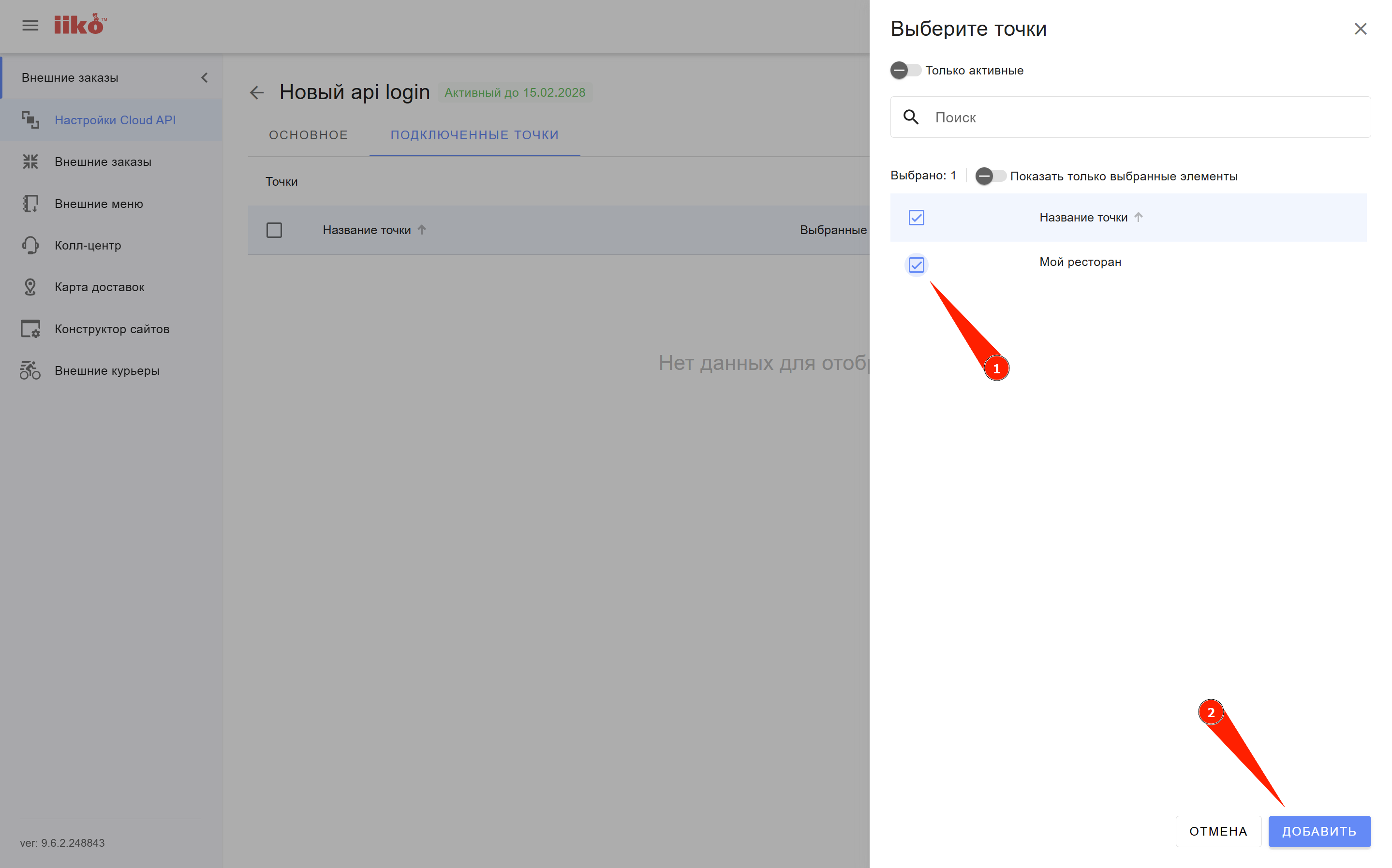
-
After connecting all required locations, copy the API key and save the changes.
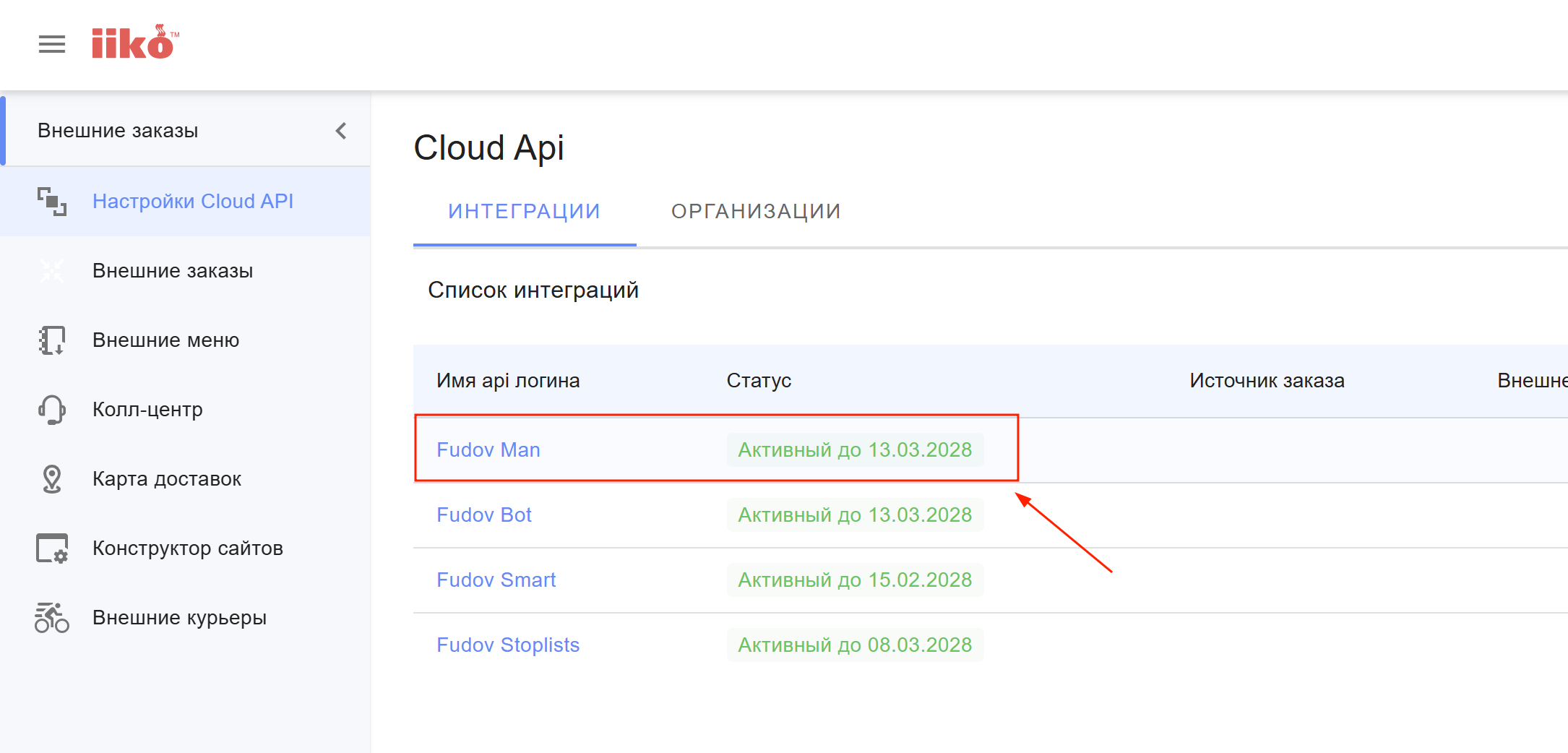
A new API login (API key) should now appear in the integrations list in iikoWeb.
Step 2. Provide the operator’s phone number
Send us the operator’s phone number that should be shown to couriers in the app.
Send the data to Fudov support
After completing all steps, send the data to Fudov support:
iikoCloud API login for connecting the Fudov Man courier app:

1. API login name: Fudov Man
2. API login: 7ea39999a7064891ba5678ca54873b26
3. Operator phone number to display in the app: +7 900 123‑45‑67